
Fees that bill themselves
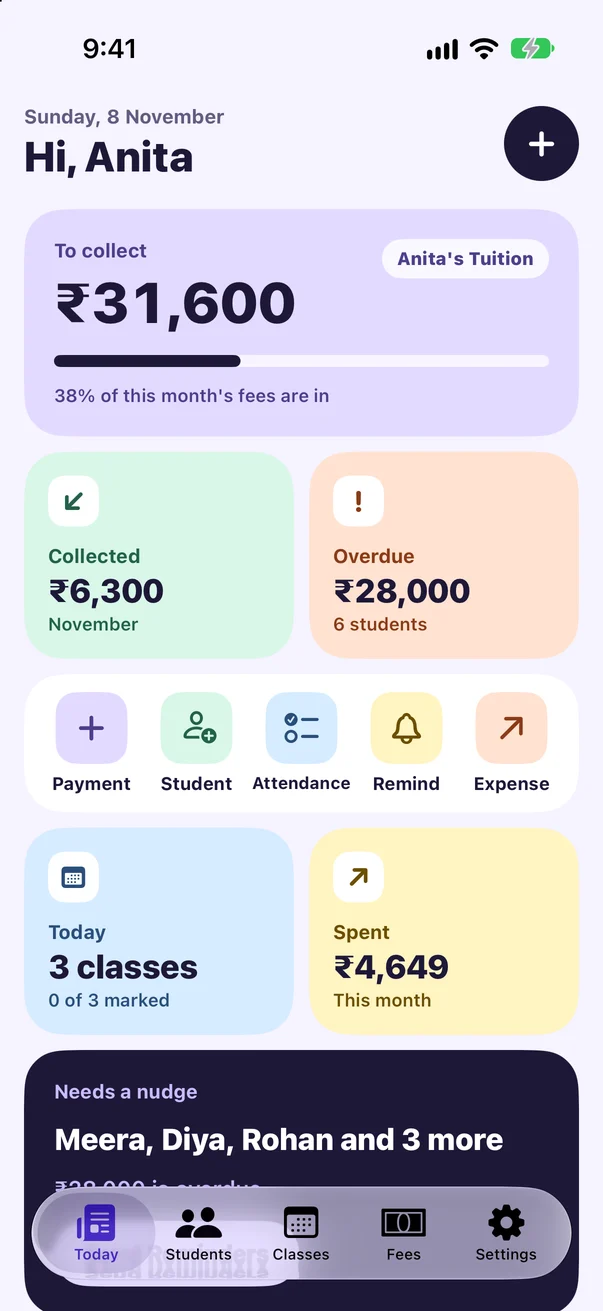
Set a fee and a cycle for each class. FeeDesk adds every month's, week's or term's fee on its own, and per-class fees from attendance.
For teachers, tutors and coaches
FeeDesk tracks your students' fees, reminds parents on WhatsApp with a UPI pay link, and gives you a receipt for every payment. No spreadsheets, no chasing.
Made for small classes, home tuition, music lessons, coaching centres and dance studios.
Set a fee and a cycle for each class. FeeDesk adds every month's, week's or term's fee on its own, and per-class fees from attendance.
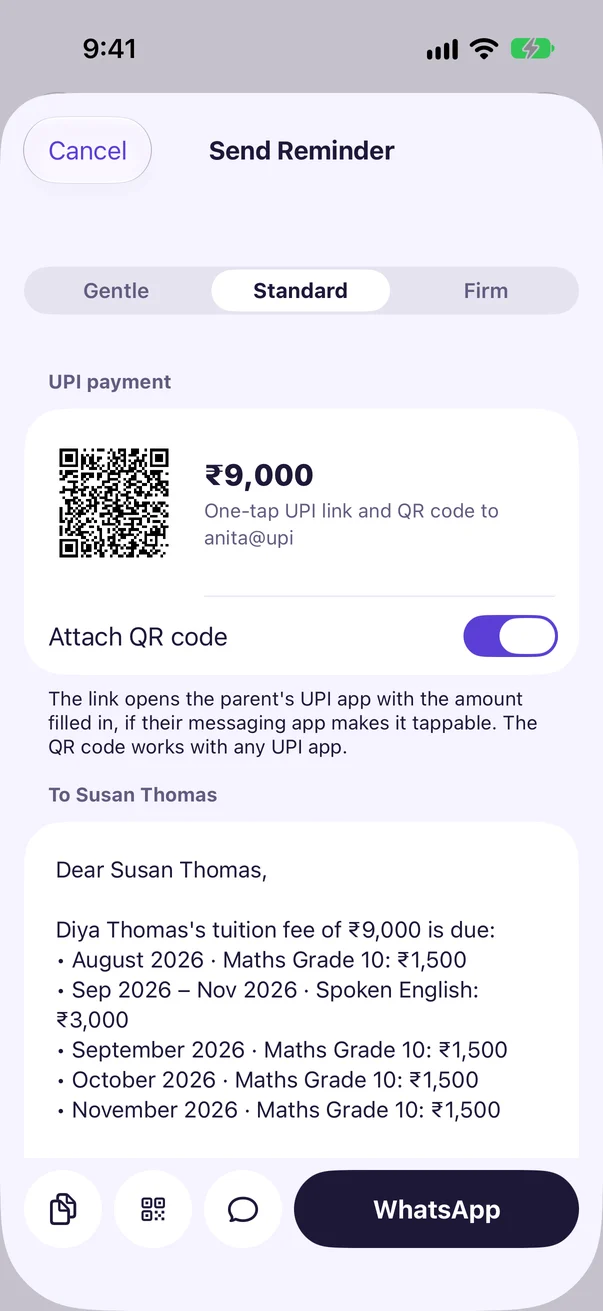
Pre-filled WhatsApp and SMS messages with the amount due. Add your UPI ID and each reminder carries a pay link and a QR code.
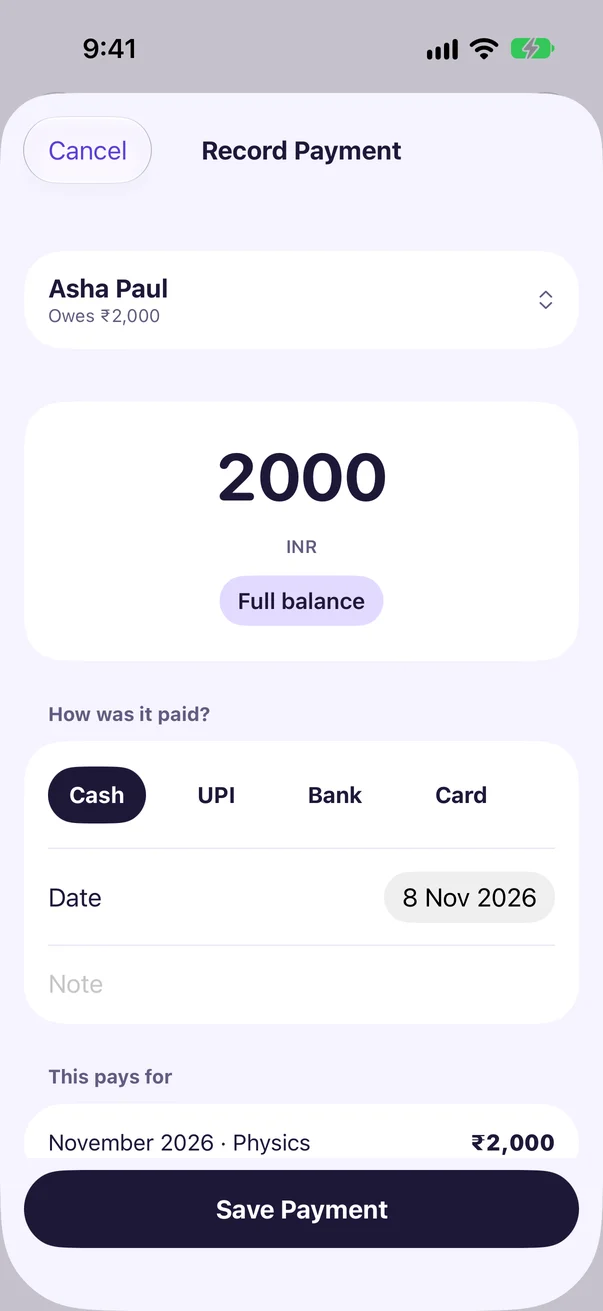
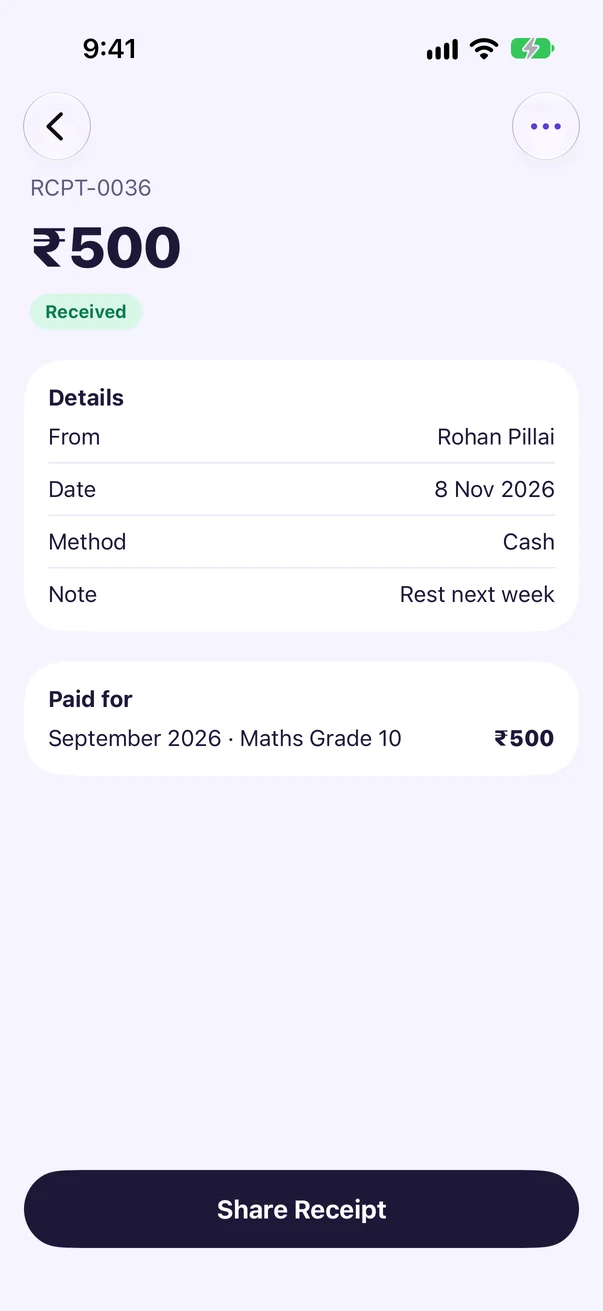
Record cash, UPI, bank or card payments, full or part. Share a numbered PDF receipt straight away.
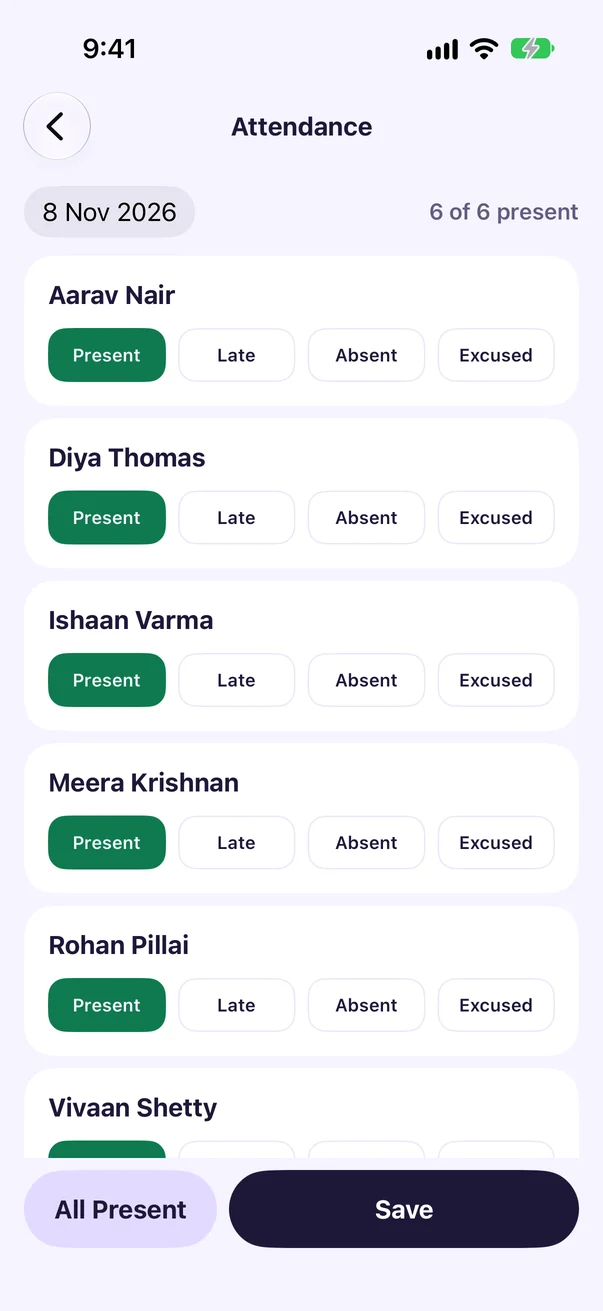
Mark the whole class present, then change the few who were late or absent. Per-class billing counts it for you.
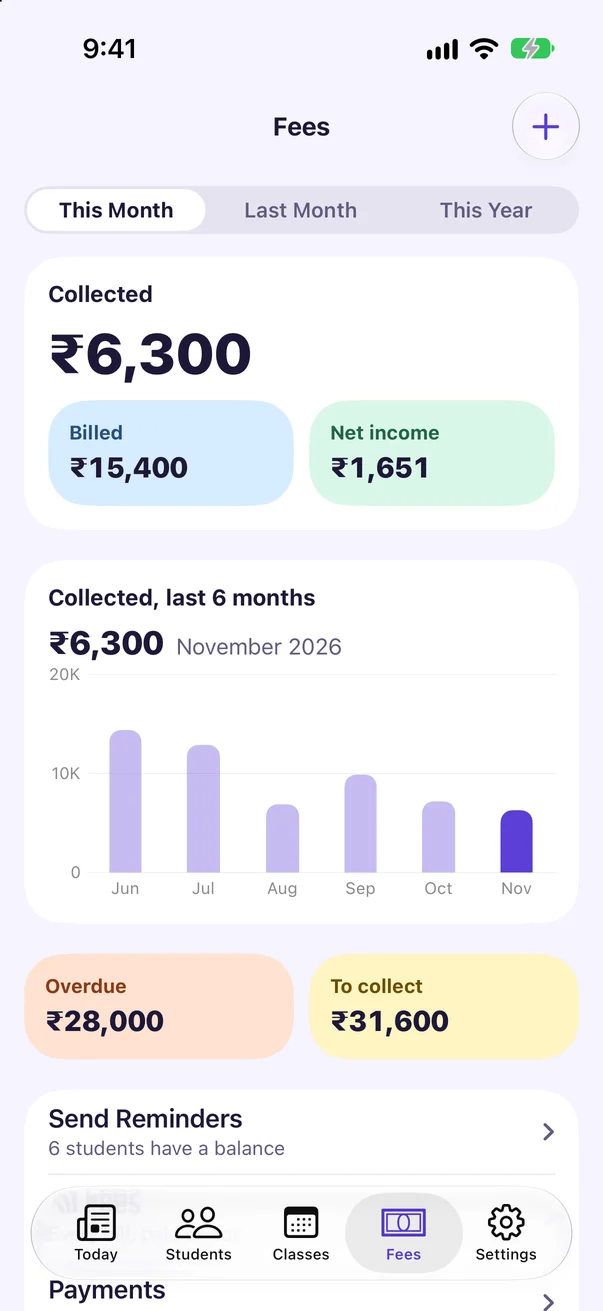
Collected, billed, spent and net income by month, class and payment method. Export reports as PDF or CSV.
No account, no sign-up, no ads, no tracking. Your records stay on your iPhone and in your own iCloud.
Reminders
The money goes straight to your bank. FeeDesk never touches it, and never sends anything without you pressing send.
Students
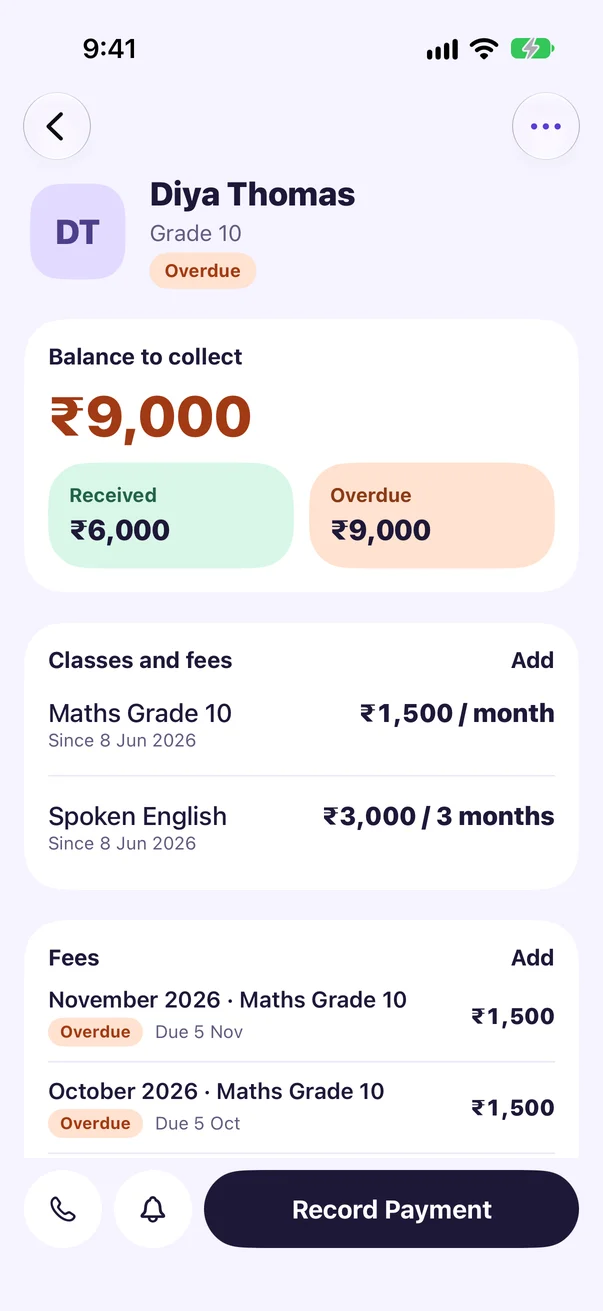
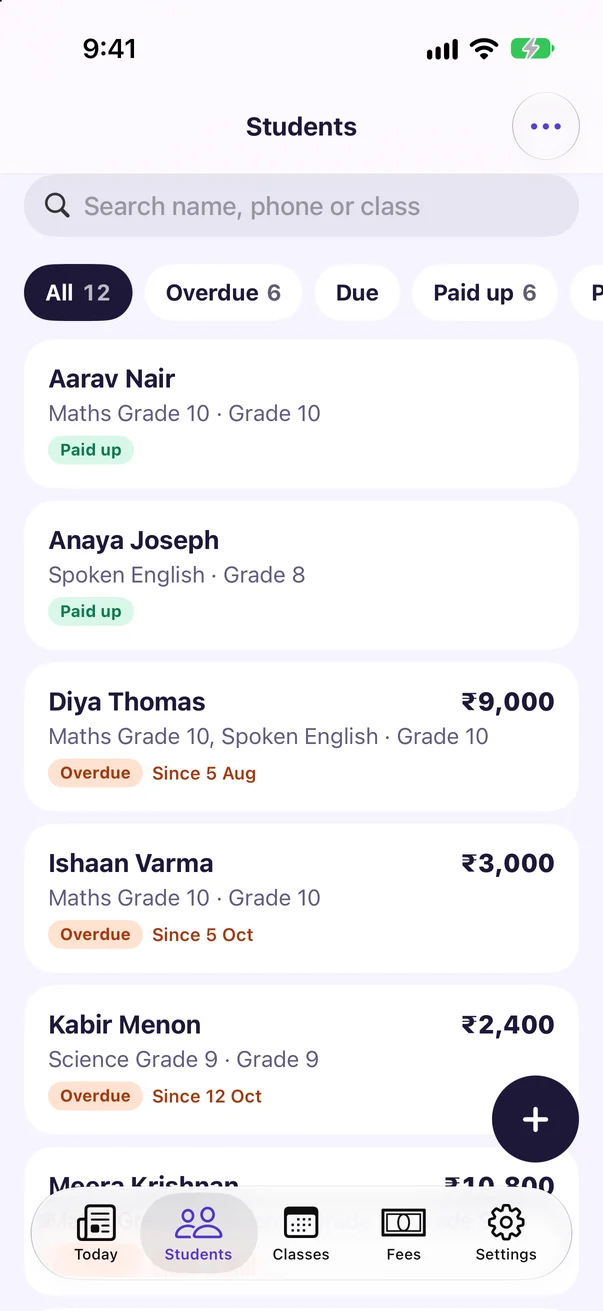
Classes and fees, what's received and what's overdue, every bill and every payment. Pause a student who takes a break, give a special rate, or void a receipt you made by mistake without losing the record.
Privacy
There is no FeeDesk account and no server of ours. Records live on your iPhone and, if you turn on iCloud Sync, in your own private iCloud. We can't see them, and we never will.
Read the Privacy PolicyAdd a class with a fee and billing cycle, then add students to it. On each billing date FeeDesk creates the fee by itself. You never type monthly fees by hand.
With a UPI ID set in Settings > Payments and Currency, each reminder carries a UPI link for the exact amount and a QR code. SMS sends the QR code in the same message. For WhatsApp, the green button sends the text to the parent's chat, and the QR button shares the QR image. Whether the link is tappable depends on the parent's messaging app; the QR code works with any UPI app.
No. The money goes straight to your account and FeeDesk can't see it. Check your UPI app, then record the payment.
Yes. Turn on iCloud Sync on both, signed in to the same Apple Account. If both are offline when a month starts, each makes that month's fee, and FeeDesk removes the extra one when they meet. Receipt numbers made on two offline devices at once can repeat.
Free covers 10 students and 3 classes with fees, payments, receipts, reminders, attendance, UPI QR codes, backups and App Lock. Pro adds unlimited students and classes, report exports, student statements, automatic late fees, your logo on receipts, your own reminder wording and all themes.